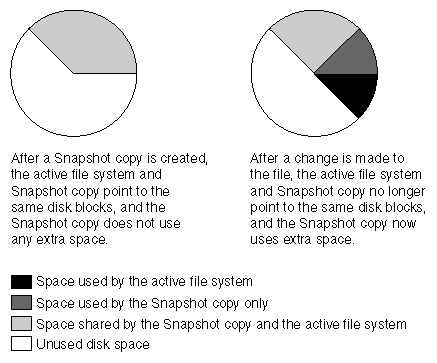
The following illustration shows how Snapshot copies consume disk space before and after you change the contents of a file.
Changing the contents of the myfile.txt file creates a situation where the new data written to myfile.txt cannot be stored in the same disk blocks as the current contents because the Snapshot copy is using those disk blocks to store the old version of myfile.txt. Instead, the new data is written to new disk blocks. As the following illustration shows, there are now two separate copies of myfile.txt on disk—a new copy in the active file system and an old one in the Snapshot copy.